Website malware removal
Website hacked? I remove the malware, close the vulnerability and get the Google warning removed. From €30, diagnostics are free.
- ✓No upfront paymentYou pay only for the finished result
- ✓Quick responseI reply within 24 hours
- ✓Guarantee for up to a monthI fix technical errors after the work for free
- ✓Directly with the developerNo middlemen or agencies
A few of my projects
In 9 years I have built more than 286 websites, online stores and systems for Lithuanian businesses.
 Skubusautosupirkimas.ltWebsite130 €
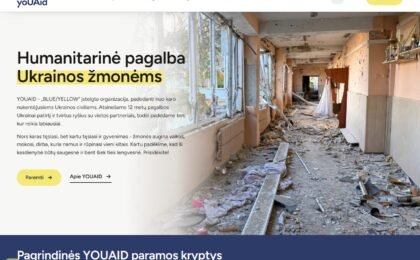 Youaid.ltWebsite450 €
 Dovanasuvardu.ltWebsite · SEO
 Krikstynudovana.ltWebsite · SEO
 Vestuviumetines.ltWebsite · SEO
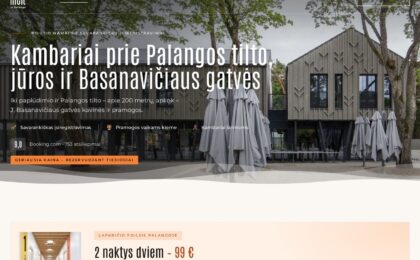 Melt.ltWebsite · SEO350 €
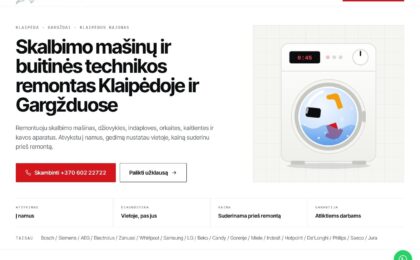 Sugedoskalbykle.ltWebsite · SEO200 €
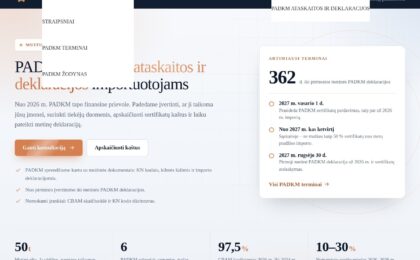 Padkm.comWebsite · SEO130 €
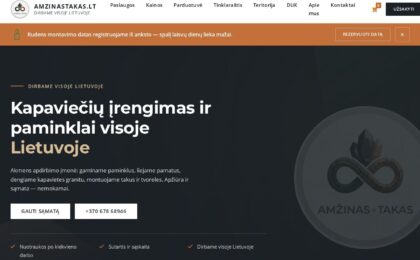 Amzinastakas.ltOnline store · Website280 €
 Houseofcontent.ltWebsite150 €
What clients say
What clients say about working with me.
Is your website redirecting visitors elsewhere, is Google showing a warning, or do you simply want it never to be hacked? I handle both cases: I clean an already infected website and close the gap the hacker got in through, or I set up protection in advance, before anything happens. More than nine out of ten hacks happen not because of a sophisticated attack but because of an outdated plugin or a weak password.
If the website is down right now, redirects visitors or is flagged by Google — write to me straight away. I do the diagnostics the same day and tell you what happened before starting any work.
Two cases, two routes
Where to start
| Already hacked | Nothing has happened yet | |
|---|---|---|
| Situation | The website is infected, redirects or is flagged by Google | The website works, but its protection isn't set up |
| First step | Free diagnostics: what's infected and how it got in | Security check: where the weakest spot is |
| Main work | Cleaning, closing the gap, removing the Google warning | Updates, firewall, 2FA, working backups |
| Duration | 1–3 working days | 1–3 working days |
| Price | from €30 | from €30 |
How to tell if a website has been hacked
Modern malware rarely “breaks” a website visibly — on the contrary, it tries to stay unnoticed for as long as possible so it can make money at the owner's expense. The most common signs:
Signs of a hack
- The website redirects visitors to an unfamiliar page (often only on mobile or only from Google)
- Google Search shows a warning under your website, such as “This site may harm your computer” or “This site may be hacked”
- Pages from your domain in a foreign language or about completely different products appear in search
- A browser or antivirus blocks the website with a red screen
- Unknown administrator accounts have appeared in WordPress
- The website has slowed down a lot or the hosting reports exceeded resources
- Emails from your domain have started landing in recipients' spam
- Obscure, compressed code appears in the files (base64, eval, long strings of characters)
Website malware removal
Removing malware isn't just “deleting a bad file”. If the gap the hacker got in through isn't found and closed, the malware returns within a few days — only this time the hacker already knows the way in. That's why I work through the full cycle:
If malicious code returns after cleaning, the gap was left open — then the malware removal is carried out together with a search for the cause.
Cleaning process
- DiagnosticsI scan the files and database, check Google Search Console security messages and determine when and how the hack happened.
- BackupBefore touching anything, I make a full copy of the website — so I can go back at any moment.
- Removing malicious codeI clean infected files, database entries, hidden redirect rules and rogue administrator accounts.
- Closing the gapI update WordPress, the theme and plugins, remove vulnerable or abandoned plugins and change all passwords and access keys.
- Restoring reputationI submit the website to Google for a review, so that the warning in search and in the browser is removed.
- ReportYou get a clear description: what was infected, how it got in and what I recommend doing next.
How long it takes
- 1–4 hoursDiagnosticsYou find out what happened and whether the website can be saved without a rebuild.
- 1 dayCleaning and restorationThe website works normally again, and the malicious code has been removed.
- 1–2 daysProtection and monitoringThe gap is closed, protection is installed, and I check that the malware doesn't return.
- 2–14 daysRemoving the Google warningIt depends on Google — I submit the request, but nobody controls the waiting time.
Protection so it doesn't happen again
After cleaning — or straight away, if you come to me as a precaution — I set up protection. Security isn't one plugin you switch on and forget, but several layers:
Protection work
- Security audit: WordPress, theme, plugins, users, file permissions, PHP version, SSL
- Removing vulnerable and abandoned plugins, updating all components
- Firewall and login protection — automated attacks are blocked immediately
- Two-factor authentication (2FA) for administrators
- Automatic backups to external storage — with a restore test
- File change and uptime monitoring with notifications
- A report: what was done and what remains your responsibility
A backup you've never tried to restore isn't a backup. During the audit I always check whether the website can actually be restored from the existing backups — very often it turns out it can't.
Pricing
From €30. Diagnostics and assessment are free: first I tell you what happened and how much it will cost, and only then do you decide. We agree on the price in advance — there are no unexpected invoices.
Prices by case
| What it covers | Price |
|---|---|
| Diagnostics or security check | 0 € |
| Removing one type of infection (spam links, redirects, injected code) | from €30 |
| Full clean-up: files, database, accounts, closing the gap | from €90 |
| Restoration when the website no longer works or is damaged | from €150 |
| Security audit with a report ranked by severity | from €90 |
| Installing protection: firewall, 2FA, backup system, monitoring | from €120 |
| Removing the Google warning | included |
| Monthly maintenance after the work | from €30/month |
If it turns out the website isn't worth saving — for example, it's old, has no backups and uses an unsupported theme — I'll tell you openly and suggest a cheaper route rather than billing hours.
Why it's not worth cleaning it yourself
DIY cleaning vs professional cleaning
| Trying to clean it yourself | Professional cleaning |
|---|---|
| A free plugin finds some of the files | All files, the database and the server configuration are checked |
| The gap stays open — the malware returns | The cause of the hack is found and closed |
| Necessary files get deleted too, and the website stops working | A full backup is made before the work |
| The Google warning stays up for months | A review request is submitted and the result is monitored |
| You don't know whether customer data was leaked | You get a report on what the hacker accessed |
Frequently asked questions
How soon will the website work again?
In a typical case the website is cleaned and working within 1–3 working days. I do the diagnostics within 24 hours and immediately tell you the realistic timeline for your case.
How much does website malware removal cost?
Cleaning work starts from €30, and a full clean-up with the gap closed – from €90. Diagnostics are free, and we agree on the exact amount before starting.
Will I lose the website's content?
No. Before starting any work I always make a full copy of the website and database, so any step can be rolled back.
Can the malware come back?
It can, if only the code is removed but not the cause. That's why I always close the gap, update the system, change the passwords and install protection.
How do I remove the Google warning about a harmful website?
Once the website is clean, I submit it for a review through Google Search Console. The warning usually disappears within a few days of the request.
Can you help if I don't have a backup?
Yes. Most websites can be cleaned without a backup — a backup just speeds up the work.
Isn't a free security plugin enough for protection?
A plugin is one layer and is often left with its default settings. It won't update your plugins, create a working backup system or change a weak password.
Will the protection slow the website down?
No. On the contrary — when sorting out security I often remove abandoned and duplicate plugins, so the website usually gets faster.
Do you work on non-WordPress websites?
Yes, I also work with WooCommerce, Laravel and custom-built websites.
Suspect a hack or want to prevent one? Free diagnostics within 24 hours.
Hacked website: what to do in the first hour
First, don't panic and don't delete anything – deleted files make it harder to find out how the hack happened. Change the passwords for the WordPress admin, FTP/SSH, the database and the hosting control panel, then check whether a new administrator you didn't create has appeared in the Users list. Make a full copy of the files and database as they are now – it's both evidence and a fallback if something goes wrong during cleaning. If the website is redirecting visitors or the host is threatening to block it, temporarily switch on maintenance mode so the damage to your reputation doesn't pile up. Next, you need to find the malicious code itself, not just its consequences.
The website redirects to another page
If typing your address takes the browser to a completely different website – a casino, pharmacy or adult content page – it's almost always redirect-type malicious code. It's usually written into index.php, the theme's functions.php, the .htaccess file or directly into the database's wp_options table, so simply removing a plugin doesn't help. A typical sign: to you, as a logged-in administrator, everything looks fine, while a new visitor from Google is immediately redirected elsewhere. Another common sign is that the redirect works only on mobile. Such code has to be cleaned from all places at once, otherwise it returns a few days later.
Google shows a warning that the page may harm your computer
This red warning isn't shown by your website but by Google Safe Browsing, which has flagged it as infected – meaning malicious code was actually found. If it's your website, open the “Security issues” section in Google Search Console: it shows the type of infection and which URLs are flagged. Just clicking “continue” isn't enough – until the code is cleaned, the website stays blacklisted and loses almost all its traffic from Google. After cleaning, you need to submit a review request in Search Console; Google usually removes the warning **within 24–72 hours**.
Unknown pages appear in Google Search
If typing site:yourdomain.com into Google shows hundreds of pages in Japanese or Chinese characters, about drugs, replicas or casinos – it's the so-called “Japanese keyword hack”. The malicious code generates thousands of invisible pages on your domain, and they get indexed instead of your real pages. They usually aren't visible on the website itself – they're shown only to Google's crawler, so the problem is noticed very late, when visibility has already dropped. Cleaning requires not only removing the code but also removing the added sitemap files and asking Google to remove the junk URLs from the index. After such an infection, rankings take several weeks to recover.
Where malware on a website comes from
The most common cause isn't “hackers” but free “cracked” (nulled) themes and plugins downloaded from random websites: malicious code, such as the well-known WP-VCD, gets installed along with them. The second most common cause is WordPress or a plugin that hasn't been updated for a year or two and has a public security hole that bots find automatically, without targeting you specifically. Third – a weak administrator password and an old PHP version on the hosting. That's why a website that has been cleaned but not updated usually gets reinfected within a few weeks: cleaning without updates is only half the job.
The host blocked the website because of malicious code
When your hosting provider sends an email about malicious files found and temporarily disables the website, the most common cause is that spam emails started being sent from your server or “shell”-type files were found. Ask the provider to send you the list of files found – it speeds up cleaning a lot, because the extent of the infection is immediately visible. Don't rush to restore an old backup: if it was made after the infection, you'll restore the same malware. Once the files are cleaned, you need to ask the provider to unblock the website – this is usually done within a few hours. I sort out cases like this from €30, while also fixing the passwords and updates so the block doesn't happen again.
Malware or just an SSL problem?
Not every browser warning means an infection. If you see “Connection not secure” or a crossed-out padlock, it's usually just an expired SSL certificate, fixed in the hosting in a few minutes and usually free of charge. An infection is indicated by other signs: a red full-screen Google warning, redirects to unfamiliar pages, new administrators, unknown pages in Google Search, suddenly appearing third-party ads. If you're not sure, send me the address – I'll tell you for free whether it's malware or a certificate issue.
Get a quote within 24 hours
Briefly describe what you need – I'll reply with a price and timeline. No upfront payment, no obligation.
 I reply myself – Justas, within 24 hours.
Don't want to fill in the form? Email info@kokybiskasvetaine.lt or call +370 677 15582.
- No upfront payment – you pay only for the result
- Reply within 24 hours
- Directly with the developer, no middlemen