E-commerce
Mokėjimo sistemos e-parduotuvėje: Paysera, Stripe, Montonio
Viena svarbiausių e-parduotuvės dalių – patogus ir saugus atsiskaitymas. Net jei jūsų parduotuvė atrodo puikiai, sudėtingas ar nepatikimas…
15 minRead →
Clients book online 24/7 — at a beauty salon, barbershop, clinic or with a trainer — and pay straight away, while you get an automatic notification and an entry in Google Calendar. No phone calls and no double bookings.
No upfront payment · you pay for the finished result1–2 weeks before launchQuote within 24 hours
The client walks this path alone. All you have to do is show up and provide the service.
The most common cases where this service brings the most value to your business.
Salons, barbershops, massage and spa studios — clients book themselves, without phone calls.
Automatic meeting scheduling with Google Calendar and reminders.
Schedules for several instructors, group and individual registrations.
Booking rooms, equipment or cars with payment and conflict checking.
In 9 years I have built more than 286 websites, online stores and systems for Lithuanian businesses.
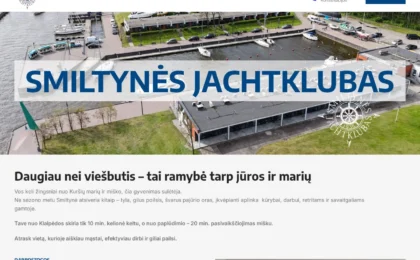 Smiltynehotel.ltWebsite · SEO170 €
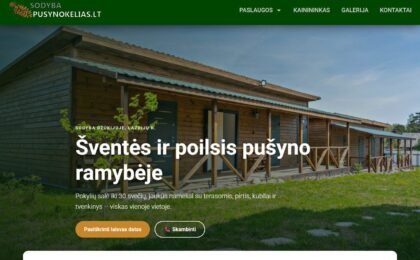 Sodybapusynokelias.ltWebsite200.00 €
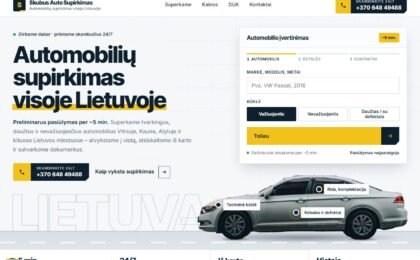 Skubusautosupirkimas.ltWebsite130 €
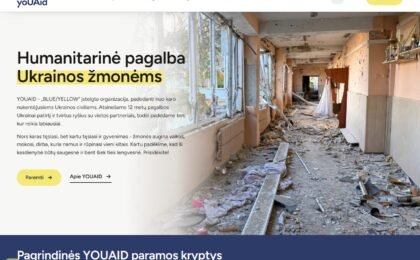 Youaid.ltWebsite450 €
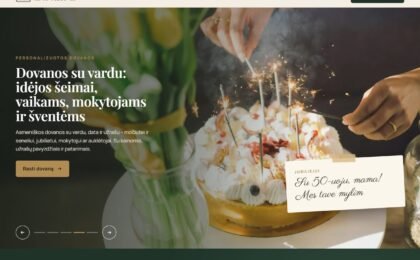 Dovanasuvardu.ltWebsite · SEO
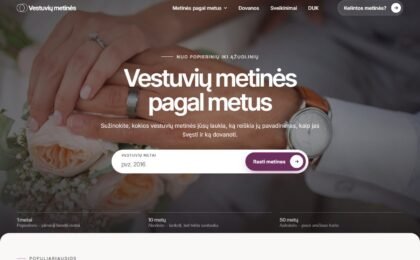 Vestuviumetines.ltWebsite · SEO
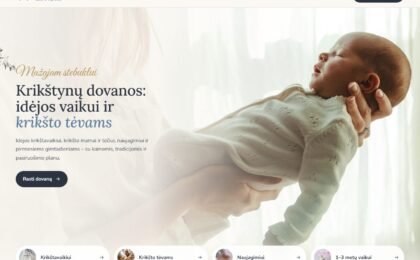 Krikstynudovana.ltWebsite · SEO
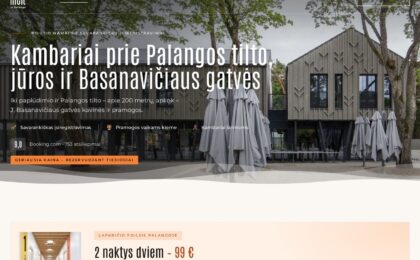 Melt.ltWebsite · SEO350 €
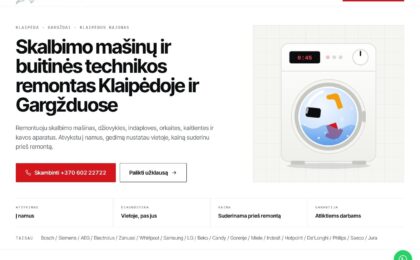 Sugedoskalbykle.ltWebsite · SEO200 €
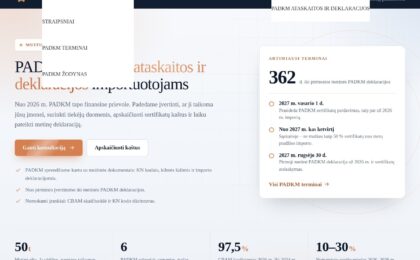 Padkm.comWebsite · SEO130 €
What clients say about working with me.
Answering calls and scheduling appointments by hand is a waste of time. A booking system works for you: clients book online and pay straight away, and you get an automatic notification.
Over 9 years I have built booking systems for barbershops, massage studios, driving schools, consultants and doctors. Each system is tailored to a specific business model.
I tailor the system to your business model and needs.
One service provider, a standard schedule. Ideal for consultants, doctors and beauty salons.
Several employees with individual schedules. The client chooses the specialist and the time.
Rooms, equipment, cars or other resources — booked online with payment.
A beauty salon or clinic has two options. A booking platform (Booksy, Fresha, Anolla, etc.) can be launched in a day, but you pay every month, and some platforms take commission for clients from their own directory. Your own system on your website is built once: the calendar and client data stay yours, and I set the rules – staff, breaks, deposits – to match how you work.
| Booking platform | System on your website | |
|---|---|---|
| Price | €0–80/month | One-off development and hosting |
| Launch | In a day | 1–2 weeks |
| Client data | On the platform | On your website |
| Who it's for | 1–2 stylists who want to start today | Salons with several stylists, deposits and their own brand |
Online booking for a beauty salon: the client chooses the service, the stylist and the time, and you get an entry in the calendar. Prices for all services – on the pricing page.
Each stylist has their own working hours and services, and the client sees only their free slots.
Haircuts, colouring or manicures get different durations and breaks between clients, so the schedule never overlaps.
24–48 hours before the visit the client gets a reminder, and a deposit reduces the number of no-shows.
Instead of specialists, tables or areas are booked: the guest picks the date, time and number of people. More – an online booking system for service businesses.
You set the number of tables and seats and the booking duration, and the system shows how many places are still free.
Larger groups can be asked to prepay or leave a deposit, and time slots can be closed for private events.
The guest gets an email confirmation and a reminder before the visit, and you see all bookings in one calendar.
A simple client journey — from choosing to confirmation.
Opens your website, picks a service, date and time, enters contact details and pays.
A confirmation is sent to the client and a notification to you automatically. The entry appears in Google Calendar.
24–48 hours before the visit the system automatically sends the client a reminder.
A complete booking system with full automation.
Real-time sync — all bookings automatically appear in your calendar.
Paysera or Stripe integration — the client pays when booking. A deposit model is also possible.
Email or SMS reminders keep the number of no-shows to a minimum.
Booking reports, a revenue summary, the most popular services and peak hours.
Every system is handed over ready to work: clients book, pay and get reminders, and you see everything in one place.
The client sees only free times, so there are no double bookings. You set the time slots, durations and breaks to suit how you work.
The client pays or leaves a deposit when booking — via Paysera or by card. This sharply reduces no-shows and protects your time.
24–48 hours before the visit the system sends a reminder by email or SMS by itself. Fewer forgotten visits — fewer empty slots.
Each employee has their own schedule, holidays and services. The client picks the specialist and the time, and the system allocates automatically.
Bookings appear in your Google Calendar in real time. You see your day on your phone, and taken slots are closed to clients straight away.
You change services, prices, working hours and specialists yourself through a clear dashboard. After launch I show you how everything works.
Not another tool, but less routine and a fuller calendar — the system works for you around the clock.
Clients book online themselves, so you no longer have to answer calls and messages about free times.
Deposits and automatic reminders significantly reduce forgotten or missed visits.
Bookings are taken 24/7 — in the evening and at weekends, when you're not working but the client makes up their mind.
You see the most popular services, peak hours and a revenue summary — so you can plan around what works.
The system benefits not only you — convenience for the client decides whether they book at all and whether they come back.
In the evening, at the weekend or over lunch — they book when they decide, without calling during working hours and waiting for you to pick up.
It's immediately clear when they can come — no back-and-forth and no “do you have another time?”.
An automatic email with the date, time and place. No uncertainty about whether the booking was really accepted.
The system reminds them a day or two before, so the client doesn't forget the visit — and you don't have an empty slot.
Books in seconds from anywhere — because most people do it from their phone.
Clear rules and a few clicks, no awkward conversations — and the free slot appears for you straight away.
The most common reasons a system annoys clients and you. I eliminate each of them in advance.
“A good booking system is measured not by its features, but by how many calls and worries it takes off your hands.”
The decision is often made in the evening or at the weekend, when you're not working. If they can't book at that moment, the client either forgets or chooses a competitor where they can book straight away. Online booking catches exactly that moment of decision.
Every client who doesn't show up is an empty slot nobody counts. Deposits and automatic reminders reduce this number simply, without unpleasant conversations, and your time stays filled with real visits.
While there are few clients, you can keep the schedule in your head or a notebook. But as the flow grows, double bookings, confusion and lost time begin. The system takes over this work and works the same with five or fifty clients a day.
A barbershop, a driving school and a room rental need different rules: multiple specialists, group registrations, resources with conflict checking. That's why I don't build a universal template, but a solution tailored to your particular business model.
Working hours, prices, holidays and services change all the time. The most important quality is that you can make these changes yourself in a few minutes, without calling a developer. That's when the system becomes a helper rather than yet another dependency.
“A cheap plugin is often more expensive — when its fee grows with every specialist or booking.”
Many booking services are rented and charge a monthly fee that grows with your client flow. I build on WordPress — the system lives on your website, the data belongs to you and you don't pay for every booking.
Not everyone needs the same thing. One needs several specialists, another group sessions or resource booking. What matters is that the system flexibly follows your rules instead of forcing you to adapt to its limitations.
If booking is complicated, the client will call or leave — and the benefit of the system disappears. Registration must be short, clear and work on a phone, because that's where most people book.
Google Calendar, payments, email or SMS — the system should fit into your everyday tools instead of creating yet another separate place you have to check by hand.
Your way of working will change and new services will appear. It's important to know who will fix errors and help improve the system. After launch I give a guarantee for up to a month and, if needed, ongoing maintenance.
A transparent process with no upfront payment — you pay only for a ready, tested system that is already taking bookings.
We discuss services, specialists, payments and rules. I give you a clear quote with a timeline — free of charge and with no obligation.
I set out the services, their durations, time slots and staff schedules according to your real way of working and breaks.
I connect Google Calendar, payments and reminders. I adapt the booking form to your website and brand.
I make real test bookings with every payment and reminder option, show you how to manage it and only then launch it.
I give the price individually, after a free consultation, because it depends on a few specific decisions. Here's what increases it, so you can plan without surprises.
One service provider and a team of ten employees with separate schedules are jobs of different scope.
A simple booking without payment or full checkout with deposits and refund rules — the scope differs.
Email reminders are included. SMS reminders are a separate flow with message costs, worth estimating.
Google Calendar and standard payments are included. Connections to a CRM, accounting or an SMS provider are separate work.
A booking form on your existing website or a completely new website with an integrated system — the scope differs.
A separate ongoing service: updates, backups, security. It matters for a booking system, because downtime means lost bookings.
You don't need everything at once. I add these later, when you see that they actually pay off – without rebuilding the whole project.
Text messages to the phone reduce no-shows even further — especially where clients check their email less often.
Classes, courses or seminars with a seat limit and a waiting list.
Rooms, equipment or cars with conflict checking — so the same resource isn't booked twice.
Points or discounts collected by returning clients — encourages repeat bookings.
A Zoom or Google Meet link is generated automatically — handy for remote services.
Revenue summaries, the most popular services and peak hours — plan based on data.
An automatic invitation to leave a rating — builds credibility and attracts new clients.
Registration in several languages — if you serve clients from abroad too.
You don't need to prepare anything technical before we start – I take care of that. In reality I only need a few things from you.
Which services you provide, how long they take and how much they cost. Have one — great; don't — we'll put it together.
Your and your specialists' working hours, breaks and days off. I build the free slots around them.
Your cancellation, deposit or reminder policy. Often they haven't been worked out yet — I help with that myself.
What matters isn't the name of the tool, but that the system stays yours and its fee doesn't grow with every client.
I build the booking system on WordPress, on your website. I choose this not because it's trendy, but for a few practical reasons that directly benefit your business.
Rented platforms charge a fee that grows with your client flow. Here the system is yours — you don't pay for every booking or extra specialist.
You change services, prices, working hours and specialists yourself through a clear dashboard, without programming knowledge.
From one specialist to a team, from simple visits to group and resource bookings — on the same system, with no migration.
Bookings, content and SEO live together — not in several separate tools that have to be kept in sync.
You'll see the difference between “done carelessly” and “done well” within six months – in Google results and in the flow of customers.
| Criterion | KokybiskaSvetaine.lt | Typical agency | Cheap option |
|---|---|---|---|
| Price and upfront payment | Clear, no upfront payment | Often with an upfront payment | Cheap but risky |
| Communication | Directly with the developer | Through a project manager | Inconsistent |
| SEO from the very start | Included | For an extra fee | Often skipped |
| Response time | Within 24 hours | A few days | Hit and miss |
| Availability after the project | The same person | Support department | Often disappears |
| Guarantee after launch | Up to a month | Limited | None |
| Technical maintenance | Offered | Expensive contract | None |
| Timelines | 3–7 working days (website), 1–2 weeks (store) | 1–3 months | Unclear |
I'm based in Radviliškis and work remotely across Lithuania – we discuss everything by phone, video call or email, so it doesn't matter whether you are in a big city, a small town or abroad.
On your website the client chooses a service, a stylist and a free time, leaves their contact details and, if set up, pays a deposit. The entry appears in the stylist's calendar straight away, and 24–48 hours before the visit the client gets a reminder.
Yes. Instead of specialists, tables or areas are booked: you set the number of seats, the booking duration and the opening hours, and you can ask larger groups for a deposit.
Yes — full sync. Bookings appear in the calendar immediately after confirmation.
Yes — you can set a cancellation policy: allowed up to a certain time, after which only the deposit is refunded.
Yes — you can have an unlimited number of services with different prices and durations.
Yes — automatic emails to the client and to you after every booking, confirmation and cancellation.
Yes — the booking form works in all browsers and on all devices.
I give the price individually, after a free consultation, taking into account the number of specialists, payments and the functionality you need. The consultation and quote are free.
No. You pay only when the system is fully ready and you have approved it. No risk — only a working result.
When booking, the client pays part of the amount or the full price. Since the money has already been paid, the chance of a no-show drops sharply, and your time stays filled with real visits.
Yes. I connect Paysera or card payments so the client can pay or leave a deposit right when booking.
Yes. You can manage several locations, each with its own specialists, working hours and services, and the client chooses the most convenient one.
Yes. You can close time slots for holidays, lunch or personal matters at any time — those slots automatically become unavailable to clients.
Yes. A taken slot is closed straight away, so two clients can't book the same slot. This is one of the main reasons to give up a manual schedule.
Yes. I can integrate the booking system into your current WordPress website or build a new website with the system built in — whichever suits you better.
Yes. I offer ongoing maintenance — updates, backups and a quick response to failures. For a booking system this matters, because downtime means lost bookings.
Viena svarbiausių e-parduotuvės dalių – patogus ir saugus atsiskaitymas. Net jei jūsų parduotuvė atrodo puikiai, sudėtingas ar nepatikimas…
Briefly describe what you need – I'll reply with a price and timeline. No upfront payment, no obligation.
 I reply myself – Justas, within 24 hours.
Don't want to fill in the form? Email info@kokybiskasvetaine.lt or call +370 677 15582.
€0 upfront · Guarantee for up to a month · I reply myself – Justas
Or directly: info@kokybiskasvetaine.lt · +370 677 15582
Tick what you need and leave your contact details. I'll get in touch, clarify the details and give you an exact price – with no obligation.
I reply myself – Justas, within 24 hours.
Don't want to fill in the form? Email info@kokybiskasvetaine.lt or call +370 677 15582.